



Can’t get through your Barclaycard business login? Here’s what you need, how the card reader works, why sign-ins fail, and how to fix them.
A small plumbing firm’s office manager once rang me, half laughing and half furious. She’d been trying to get into the company’s card account for forty minutes, and the page kept asking for a code from a little grey gadget she’d last seen in a drawer in 2019. That, in a sentence, is the Barclaycard business login for a lot of people. Not hard. Just oddly dependent on a device you forgot you owned.
So here’s the guide I’d hand her now. What the Barclaycard business login actually involves, what you need before you start, the first-time steps for both the website and the app, the seven snags I see most often, and the security habits worth keeping. Plain language. A few grumbles.
One bit of housekeeping first. I’m not Barclaycard, I don’t work for them, and everything below is drawn from their own help pages as I read them. Banks tweak their screens and phone numbers all the time, so check the official pages before you rely on any detail.
Right. Tea’s made.
Which Account Are You Actually Logging Into?
This question saves more time than any other. People type “Barclays login” into a search bar, land on the wrong site, and spend half an hour confused.
Barclaycard is the card side of the business: credit and charge cards, including business cards. Barclays is the bank, with current accounts and its own online banking. They’re related names, but they’re separate sign-ins. If you have a business credit card, you want Barclaycard. If you have a business current account, you probably want Barclays.
Good. Now we’re on firmer ground with your Barclaycard business login.
The pieces under the Barclaycard umbrella
On the Barclaycard side there are a few different places you might log in. There’s Barclaycard Business online servicing, which is the everyday account page for card customers. There’s a Barclaycard for Business app for cardholders. And for bigger or more complex setups, Barclaycard’s help pages mention platforms like Spend Management, Commercial Online Servicing, and Precisionpay Reporting (SNAP).
I’ll deal with that last group in a moment, because it’s where one of the weirder redirect problems comes from. For now, most small businesses will live in online servicing and the app.
What a Barclaycard Business Login Needs From You
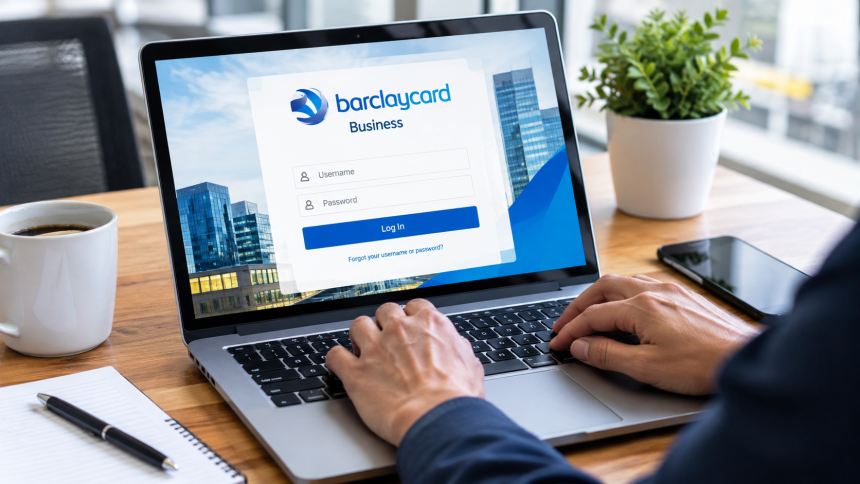
Here’s the thing that surprises newcomers. A Barclaycard business login isn’t just a username and a password.
According to Barclaycard’s login page for business customers, you need a PINsentry card reader, plus either your Barclaycard credit card or an authentication card. Barclaycard also lists the PINsentry reader as the authentication method for Business Online, and says one-time text codes aren’t available for logging in there.
Read that twice. No text message option. No shortcut. If you’ve been hoping a code will pop up on your phone, that isn’t how the Barclaycard business login works on the website, according to the help page I read.
So what’s a PINsentry reader?
It’s a small handheld device. Barclaycard describes it as something that works with your bank card to generate eight-digit codes, which you use to verify your identity for online banking and certain transactions.
Think of it as a tiny calculator that proves, on every Barclaycard business login, that you’re holding the real card. Which is exactly why fraudsters can’t easily fake it from the other side of the world, and exactly why it’s so annoying when it’s missing.
The card or authentication card
You also need the card that goes with the reader step. That’s either your Barclaycard credit card or an authentication card. The reader uses it to produce the code, and you’ll need the card’s PIN, which is the same one you’d use for in-store payments.
My advice for any Barclaycard business login, which is plain opinion: put the reader and the card somewhere findable. A labeled envelope in the same drawer as your business paperwork. Not the “miscellaneous cables” box.
Your First Barclaycard Business Login: Step by Step
Let’s walk through it. I’ll split the website and the app, because they work differently.
Logging in on the website with the reader
Barclaycard publishes a clear walkthrough on its PINsentry steps page. Boiled down, it goes like this:
- When the servicing page prompts you, enter the last four digits of your card number on screen.
- Insert your card into the reader, chip side down, and press Identify.
- Enter your card’s PIN, the same one you use in shops, and press Enter.
- Copy the eight-digit code shown on the reader into the box on the webpage.
- That completes your authentication.
Four small actions, and your Barclaycard business login is done. A Barclaycard business login is fiddly the first time and takes about twenty seconds by the third.
Little tip from me: have the card out of your wallet and the reader on the desk before you open the page. I’ve watched people start a Barclaycard business login, then spend ten minutes hunting for either one while the session times out.
Logging in to the app for the first time
The Barclaycard for Business app follows a different path. Per Barclaycard’s app first-time login page, you need the two invitation emails Barclaycard sent you. They contain your login ID and a starting password.
You enter those in the app. Barclaycard then texts a verification code to your phone, you type that in, and you’re prompted to replace the starting password with one of your own.
Two emails. Not one. If you only found one, go and look for the second before you do anything else, and check your spam folder.
Picking a new password you won’t forget
When the app asks you to replace the starting password, choose something long and unique. Avoid the business name, a phone number, or a year. Don’t reuse it from any other account.
A password manager is the easiest answer if your Barclaycard business login is one of too many logins in your head. I know some owners resist them. But I’d rather you trust a locked vault than a sticky note on the monitor.
Website vs App: Two Ways Into the Same Money
People lump everything under one Barclaycard business login, and then wonder why the instructions they found don’t match what’s on their screen. The website and the app are different doors, with different keys.
The website door
Barclaycard’s help pages say the business online servicing login relies on a PINsentry reader plus a Barclaycard credit card or authentication card. No text-message option for logging in there. You work through the reader steps, copy an eight-digit code, and you’re through.
The app door
The Barclaycard for Business app starts with two invitation emails carrying a login ID and starting password. Then it texts you a verification code, and finally it asks you to set a new password. Different ingredients, same goal.
Which one I’d use
Honestly, both. The app is great for a quick check on the bus. The website, with the reader, suits the heavier jobs, and Barclaycard’s own help page notes that some actions, like viewing a PIN or changing contact details, need the reader. A sensible Barclaycard business login habit is using the app for glances and the website for anything that matters.
Why Strong Sign-In Is Worth the Hassle
I hear the grumbling all the time. A gadget, a card, a PIN, an eight-digit code. All that, just to look at a statement?
Yes. And I’ve come to like the Barclaycard business login for exactly that reason.
Think about what the Barclaycard business login is protecting. Credit lines, supplier payments, staff spending. If a criminal gets into that, the damage isn’t a bad afternoon, it’s a bad quarter. A password alone can be guessed, phished, or leaked in somebody else’s data breach. A code generated by a device that needs your physical card is much harder to steal from a distance.
Barclaycard’s help page ties the newer redirected sign-in to PSD2 rules that demand stronger identity checks. Whatever you think of regulation, the logic is hard to argue with. Fraud prevention costs a little friction. I’d rather pay in friction than in lost money.
My only real complaint is the clumsy way the reader sneaks out of view between uses. So give it a home. That solves ninety percent of the pain.
What If Your Reader Hasn’t Arrived Yet?
This one catches new customers constantly, so it gets its own section.
Barclaycard’s help page on reader alternatives says that until your reader arrives, or if it’s lost or broken, you can log in with your existing username, password, and memorable word.
But there are catches, and they matter. While you’re logging in that way, you can’t view your PIN or change your contact details without the reader. And once the reader arrives, the username-and-password method stops working. So don’t be surprised when the old route suddenly vanishes.
Getting a replacement reader
The same page says you can call Barclaycard to arrange a replacement. The number it lists is 0800 008 008 from the UK, or +44 1604 269452 from abroad, with lines open around the clock, and the reader is sent to your registered address. I’d confirm that number on the live page before ringing, since contact details change.
Two practical notes here. First, make sure your registered address is up to date, because that’s where it goes. Second, order a replacement the moment you realize yours is missing, not the afternoon you need to pay a supplier.
Misunderstandings About the Barclaycard Business Login
I’ve collected these over time. Almost everyone holds at least one.
“A text code will get me in.” For the Business Online website login, Barclaycard says text-message one-time codes aren’t available. The reader is the method. Text codes show up when you first log into the app, which is where the muddle starts.
“I don’t need the card, only the reader.” The reader needs your card to generate the code. Barclaycard’s page lists the reader plus a Barclaycard credit card or authentication card.
“The old username and password will keep working.” Barclaycard says that approach is only a stopgap until your reader arrives. After that, it stops working.
“Barclays and Barclaycard are the same login.” They’re related brands with separate sign-ins. A business current account and a business credit card don’t share one door, as far as I can tell from their sites.
“I can only pay if I log in.” Not so. Barclaycard says you can pay by direct bank transfer without logging in, quoting your card or account number as the reference.
“A redirect means I’ve been hacked.” Almost never. Per Barclaycard, redirects come from newer sign-in rules, and one page now opens several platforms.
If you spot yourself in two or more of those, don’t feel bad. They’re perfectly natural mistakes. The system just isn’t obvious.
Why You Might Be Redirected to a Different Login Page
Some people hit their Barclaycard business login and get bounced to a completely different sign-in page. It feels like a glitch. Usually it isn’t.
Barclaycard’s help page on the redirect says the EU’s PSD2 regulation changed how certain Barclaycard platforms handle sign-in, so users go through a new page that requires stronger identity verification. When you’re redirected, you sign in there by verifying with your card or authentication card and your PINsentry reader.
One page, several platforms
After signing in, per that page, you choose the platform you need. Barclaycard Spend Management, Commercial Online Servicing, and Precisionpay Reporting (SNAP) all open from this single page, so you don’t need separate logins for each. Centresuite and Precisionpay are described as unaffected and keep their existing login page.
If that list sounds like alphabet soup, relax. Most small businesses never touch most of those names. But if your finance person mentions one of them, now you know they’re part of the same family.
My take on the redirect
I’ll be honest: the redirect on a Barclaycard business login is irritating the first time. Then it makes sense. A single, stronger sign-in page is better for security than a pile of separate doors. If the redirect surprises you, don’t panic, and don’t assume you’ve been hacked. Make sure you started from Barclaycard’s own website and carry on.
Seven Barclaycard Business Login Problems and How I’d Fix Them
Here’s the practical heart of this guide. These are the seven snags I run into most, with my fix for each. Where I can, I tie them to what Barclaycard’s own pages say.
1. The reader is lost, broken, or never arrived
We covered this, but it’s number one for a reason. Until the reader turns up, Barclaycard says you can log in with username, password and memorable word. You just can’t view your PIN or change contact details that way.
If it’s lost or broken, call and ask for a replacement, and make sure your registered address is right. Do it today. Don’t wait for a rainy Thursday when a bill is due.
2. The eight-digit code doesn’t work
Frustrating, but usually boring, and rarely a sign that your Barclaycard business login is broken. Check you pressed Identify before typing the PIN. Check you entered the right last four digits of the card number. And make sure you’re copying the code exactly as it appears, because it’s easy to transpose digits.
If it still fails, try the sequence again from the start rather than pushing through half-finished steps. Codes like these are typically one-use, so a stale code from an earlier try is unlikely to help.
3. You can’t see your PIN or change your details
Remember the catch from earlier. If you’re logged in without a reader, Barclaycard says you can’t view your PIN or change contact details. The solution is to use the reader when it arrives, because that unlocks the actions the lighter login doesn’t allow.
4. You keep waiting for a text code
For the website’s Business Online login, Barclaycard says text-message one-time codes aren’t available. The reader is the method. If you’re staring at your phone waiting for a message, put it down and pick up the reader.
That said, the app side of the Barclaycard business login is different. When you first log into the Barclaycard for Business app, Barclaycard texts you a verification code. Two different systems, two different rules for the Barclaycard business login. Mixing them up is a very common source of confusion.
5. You were redirected somewhere unfamiliar
As explained above, this comes from PSD2-related sign-in changes. Sign in on the new page using your card or authentication card and your reader, then choose the platform you want. If you’re unsure it’s genuine, close the tab, go to Barclaycard’s website yourself, and start again.
6. The invitation emails never showed up
For app access, Barclaycard’s help page says you need the two invitation emails with your login ID and starting password. If they haven’t arrived, check spam first. Then check that the email address on file is correct, since a typo or an old address is the usual culprit.
If it still doesn’t work, contact Barclaycard to resend. Don’t ask a colleague to forward theirs, since those details belong to one person.
7. The browser or device is misbehaving
Pages freezing, buttons not responding, sessions dying early. Before blaming the bank, update your browser, close extra tabs and extensions, try another browser, and restart the computer. It’s dull advice, but a surprising number of “login problems” turn out to be a browser extension nobody remembers installing.
What to Try First When Your Barclaycard Business Login Fails
Panic is a terrible troubleshooter. Here’s the order I’d work through, calmest first.
- Breathe, then check you’re on the right site. Start from your bookmark, not a search result.
- Check you’re using the right method. Website means reader and card. App means login ID, password, and a texted code.
- Re-do the reader steps slowly. Last four digits, card in chip-side down, Identify, PIN, then the eight-digit code.
- Look for the second email. App users need both invitation emails.
- Update the browser or app, restart the device, and try another browser.
- Try the interim route if your reader is missing. Username, password and memorable word, with the limits Barclaycard describes.
- Pick up the phone. After all that, ring Barclaycard using a number from its official site.
Seven steps. Nine times out of ten, you’ll be in by number three.
Do You Even Need to Log In to Pay a Bill?
Here’s a handy detail about the Barclaycard business login most people miss. Barclaycard’s business login page says you don’t need to log in to pay. It describes paying by direct bank transfer and asks you to include your card or account number as the payment reference.
That’s useful when you’re stuck. If your reader’s gone missing and a payment is due, you can still settle the bill without getting into your account. Just double-check the payment details on Barclaycard’s own page rather than from an email.
Why the reference matters
Leave the reference off and your payment may take longer to match to the right account. It’s a small thing that causes big annoyances.
A caution on bank details
Only ever use payment details you’ve found yourself on the official site. Scammers love sending fake “updated bank details” messages. If you’re not sure, call the number on the back of your card.
Sharing a Business Card Without Sharing a Login
Here’s where I’ll climb on my soapbox for a minute, because I’ve seen this go wrong.
Many small businesses give a card to a few employees. That’s normal and often sensible. But the Barclaycard business login is built around a card, a PIN and a physical reader, and each cardholder’s access should belong to them alone. Sharing PINs, sharing readers, or passing around an account’s credentials is a bad habit.
Why sharing backfires
When several people use one set of details, you lose the trail. If a payment is wrong, nobody can say who made it. If someone leaves, you can’t cleanly remove their access without changing everything for everyone.
What I’d do instead
Give each person their own card and their own app invitation where the setup allows. Keep a list of who has what. When someone leaves, retrieve the card and tell Barclaycard so access can be removed.
I’m not a lawyer or a Barclaycard specialist, and the exact controls depend on your account type. So ask Barclaycard how it handles extra cardholders for your account, rather than assuming.
Keeping Your Barclaycard Business Login Safe
A card account moves real money, and criminals know it. Here are the habits I’d keep.
Always start from the official site
Bookmark the page for your Barclaycard business login once, calmly, from a trusted source. Then use the bookmark every time. Not a search result. Not a link in an email. Fake pages imitating a Barclaycard business login are often near-perfect copies, and a bookmark can’t be swapped by a scammer.
Never read out reader codes
The eight-digit code from your Barclaycard business login is meant for you to type into the page you’re logged into, and nobody else. If a caller or a message asks you to read it out, it’s a scam. No exceptions. Real banks don’t need a code from your reader over the phone.
Treat urgency as a warning
“Your account will be closed in an hour.” “Verify now or lose access.” Pressure is the fraudster’s favorite tool. A genuine problem will still be there after you slow down, open the official site, and check.
Guard the reader and the card
The reader plus the card plus the PIN is the whole system. Keep the card and reader behind your Barclaycard business login in separate places when you can. Don’t write your PIN on the card or on a note in the same drawer. And if the card or reader goes missing, report it immediately.
When It’s Time to Phone Barclaycard
I’m a fan of fixing a Barclaycard business login yourself, but there’s a line, and I’d rather you cross it early.
Call if the reader is lost, broken, or never arrived. Call if you think you’ve typed your details into a fake page, because speed matters then. Call if your invitation emails haven’t turned up after a sensible wait. Call if you see a charge you don’t recognize.
The number on Barclaycard’s reader page was 0800 008 008 from the UK and +44 1604 269452 from abroad, with lines open 24 hours, when I checked. Please verify it on the live site, though, and if you’re ever unsure about a number, use the one on the back of your card.
What to have ready
Your card, your registered address, and a clear description of what’s happening. Write down what you tried and in what order. It makes the call quicker and tells the adviser you’ve done the basics.
After the call
Make a note of what they said and when. If they’re sending a reader, check the date it should arrive and mark it in your calendar. If it doesn’t show up, ring again promptly.
Scams That Target Business Card Holders
Personal fraud makes the headlines, but business fraud is quieter and often bigger. A few patterns I’d teach any new employee.
The fake “card suspended” message
An email or text says your business card has been suspended or flagged, and asks you to click a link to restore it. The page looks right. The logo looks right. The link is wrong.
Don’t click. Close the message, open your bookmark, and check your account yourself. If something genuinely needs attention, it’ll be waiting after you sign in.
The helpful stranger on the phone
Someone calls, claims to be from Barclaycard’s fraud team, and asks you to confirm details or read a code. They may already know your name and part of your card number, which feels convincing and isn’t. Hang up. Ring the number on the back of your card, from a different phone if you can.
Fake supplier bank changes
A supplier emails to say their bank details have changed. You update them, pay an invoice, and the money goes to a criminal. Always confirm changes by phone, using a number you already had on file.
Why “I’d never fall for that” is risky
Everyone thinks that, right until the day they’re tired, busy, and in the middle of five things. Scams work because they pick the exact moment you’re distracted. Building small habits, like bookmarks and call-backs, protects you even on your worst day.
Setting Up a Tidy Routine Around Your Barclaycard Business Login
I like routines more than heroics. A few small, boring habits make the Barclaycard business login almost effortless.
A reader that lives somewhere sensible
Pick a single home for the reader and card your Barclaycard business login depends on. A drawer, a pouch, a labeled envelope. Tell whoever else needs access where it is.
A monthly look at statements
Once a month, complete your Barclaycard business login and scan your statement. Look for charges you don’t recognize. It takes five minutes and catches problems while they’re small.
A yearly review of who has cards
Once a year, list who holds a card, whether they still need it, and whether their details are right. Cancel what you don’t need. Fewer cards mean fewer risks.
Update contact details promptly
If your business moves, or your email or phone changes, tell Barclaycard. Stale details are why invitation emails vanish and replacement readers go to old addresses. It’s the cheapest fix on this entire page.
Three Invented Businesses and Their Barclaycard Business Login Stories
These are composites, built from patterns I’ve seen, not real firms. They show how the same login behaves in different hands.
The sole trader with a drawer problem
A one-person electrician has a Barclaycard business card, and his reader has gone walkabout. He logs in with username, password and memorable word until a replacement arrives, noting he can’t view his PIN meanwhile. Then the reader arrives and the old method stops. Lesson: the stopgap is temporary, so plan for the switch.
The café with three cardholders
A café owner gives her manager and a supervisor cards. Each has their own details, their own PIN, and their own access. When the supervisor leaves, the card is returned and the owner tells Barclaycard. No shared credentials, no mess.
The accountant who works remotely
A bookkeeper needs to see statements each month. The owner doesn’t hand over her Barclaycard business login. Instead she asks how Barclaycard handles extra access for her account type, and exports statements for the bookkeeper in the meantime. Slower, yes. Safer, definitely.
Three people, one lesson: individual access beats shared access, every time.
Making Life Easy for Your Accountant
Hardly anyone logs into a card account for fun. Usually it’s because the accountant has asked for statements.
A little preparation makes the whole thing painless. Log in once a month, go through the statement, and note anything odd. Keep receipts for card spending in one folder. And if you use a bookkeeper, agree early on how they’ll receive information, rather than handing over your Barclaycard business login in a panic in January.
Keep personal and business apart
I’ll repeat myself because it matters. Use the business card for business spending only. Mixed spending is the most common source of tax-time headaches.
Check before you file
Before your accountant files anything, double-check that the statements you’ve supplied match your records. Little mismatches are easy to fix in March and painful to fix in November.
How a Barclaycard Business Login Differs From Your Bank Login
A lot of owners expect one login for everything financial. It’d be tidy. It’s also not how it works.
Your business current account, if it’s with Barclays, sits behind Barclays’ own online banking. Your Barclaycard business login opens the card side. They’re separate systems with separate credentials, and if you hold both, you’ll have two sets of things to look after.
What that means in practice
Two reminders in your calendar if you rotate passwords. Two places to check for fraud. Two sets of contact numbers. I don’t love it, but I understand it. Keeping systems separate means a problem in one doesn’t automatically spill into the other.
My tip for owners with both
Create one small note, stored somewhere safe, listing which login does what. Not the passwords, only the map. “Card account: reader plus card. App: invitation login ID. Bank: separate website.” A tiny map saves a lot of head-scratching when you’re tired.
Logging In Away From the Office
Plenty of owners check their card account from a train, a hotel, or a client’s meeting room. It works, but a few habits matter more when you’re out.
Public computers and Wi-Fi
I wouldn’t do a Barclaycard business login on a computer I don’t trust. Hotel business centres, library machines, shared laptops. You can’t tell what’s installed on them. Your own phone or laptop, updated and locked, is safer.
On public Wi-Fi, the safest choice is to wait. If you must log in, use your phone’s own mobile connection instead of an open network.
Travelling with the reader
If you expect to need the website login while away, take the reader and card with you, and keep them apart in your bag. Losing both at once is the nightmare scenario. Barclaycard’s reader page lists a number for calling from abroad, which is worth saving in your phone before you travel, after confirming it on the official site.
Time zones and timeouts
Sessions can end if you leave them idle. If you step away mid-task, log off properly and start again. It’s a minor annoyance that protects you from someone else picking up your open screen.
A Cheat Sheet You Can Screenshot
Because lists are easier to scan than paragraphs, here’s the whole Barclaycard business login picture in one place. It reflects what Barclaycard’s own help pages said when I read them.
| Situation | What you use | Watch out for |
|---|---|---|
| Business Online website | PINsentry reader plus Barclaycard credit card or authentication card | No text-message code option for this login |
| Reader not yet arrived, lost or broken | Username, password and memorable word | Can’t view PIN or change contact details; stops once reader arrives |
| Barclaycard for Business app, first time | Two invitation emails, then a texted code | Set a new password when prompted |
| Redirected sign-in page | Card or authentication card plus reader | Opens Spend Management, Commercial Online Servicing and SNAP from one page |
| Paying a bill without logging in | Direct bank transfer | Use your card or account number as the reference |
Screenshot it, stick it in a note, and double-check anything important on Barclaycard’s live pages.
Questions Owners Keep Asking Me
These come up over coffee more than anywhere else, so here are my quick, honest answers.
“Can I ask someone else to log in for me?” I wouldn’t. A Barclaycard business login is personal. If someone else needs access, ask Barclaycard how to arrange it properly.
“What if I forget my PIN?” Contact Barclaycard. And remember that, per its help pages, viewing a PIN online needs the reader login rather than the stopgap route.
“Is it safe to save my password in the browser?” On a personal device you control, with a strong lock, many people do. On a shared computer, never. A dedicated password manager is a better home.
“How often should I change my password?” When you suspect a problem, or when someone with knowledge of it leaves. Long, unique passwords matter more than frequent changes.
“Should I keep a spare reader?” I’m not sure Barclaycard offers spares in every case, so ask. But knowing exactly how to order a replacement quickly is nearly as good.
How I’d Explain the Barclaycard Business Login to a New Hire
If you’ve got staff with business cards, this is roughly the talk I’d give on day one. Steal it freely.
“Your card comes with a way into the account, and the Barclaycard business login is yours alone. It’s built around three things: the card, your PIN, and a small reader that makes a one-use code. Nobody else gets your PIN. Nobody else gets the code. If somebody asks, even if they say they’re from the bank, the answer’s no.
On the website, you start from the bookmark I’ve given you. You’ll type the last four digits of your card, put the card in the reader, press Identify, enter your PIN, and copy the eight-digit code across. If you’re using the app, you’ll get two invitation emails first, so don’t delete them.
If the reader goes missing, tell me the same day. If a message looks odd, forward it to me before clicking anything. And if you ever think you’ve typed your details into the wrong page, say so immediately. Nobody gets in trouble for reporting a mistake quickly. People get in trouble for hiding one.”
That’s about ninety seconds. I think it’s the best investment you can make, because most card trouble starts with a well-meaning person who was never told how the Barclaycard business login works.
Write it down once
Put a short version in your staff handbook or onboarding notes. Include where the reader lives, who to tell when something goes wrong, and which numbers are official.
Revisit it yearly
Procedures drift. Once a year, remind everyone how your Barclaycard business login routine works, and update anything that’s changed.
Small Habits That Make Your Barclaycard Business Login Boring
Boring is the goal. A boring login means nothing’s gone wrong.
- Keep the reader and card somewhere findable but not obvious.
- Keep your contact details current with Barclaycard.
- Start every sign-in from the same bookmark.
- Log off fully, every time.
- Review statements monthly.
- Cancel cards you don’t use.
- Treat urgent messages as suspicious until proven otherwise.
None of that is exciting. All of it works. If I could only give you one piece of advice about the Barclaycard business login, it’d be to build habits that run on autopilot, so you don’t have to be brilliant when you’re stressed.
A Quick Checklist Before You Log In
Print this, stick it by the desk, or ignore it entirely. Up to you.
- Do I have the reader and the right card?
- Do I remember the card’s PIN?
- Did I start from my bookmark, not an email?
- Am I on a device I trust, with updated software?
- Am I ready to log off fully when I’m done?
Five questions. Ten seconds. It prevents most avoidable problems.
A final thought on timing. The worst moment to learn how your Barclaycard business login works is the moment you need it, usually with a supplier waiting and a deadline looming. So take ten quiet minutes this week, sign in properly, and practice the reader steps once while nothing’s at stake.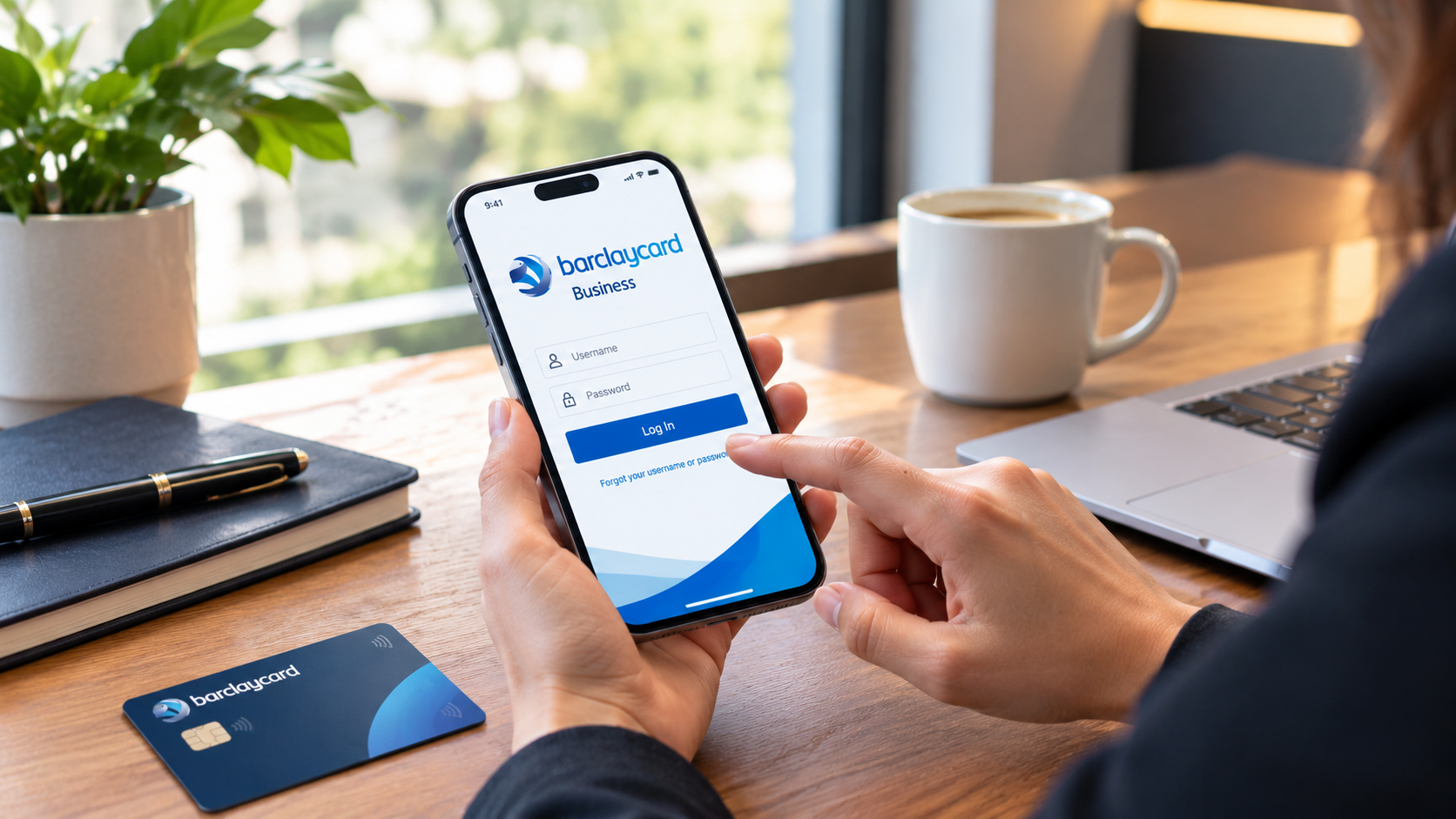
Do it again next month. By the third go, your Barclaycard business login will feel as automatic as unlocking your phone, and the little grey gadget will stop feeling like an obstacle and start feeling like a seatbelt.
FAQs
What do I need for a Barclaycard business login? Barclaycard’s business pages say you need a PINsentry card reader plus either a Barclaycard credit card or an authentication card. You use them to generate an eight-digit code when you log in.
Can I log in without a PINsentry reader? Barclaycard says that until your reader arrives, or if it’s lost or broken, you can use your username, password and memorable word. But you can’t view your PIN or change contact details that way, and the method stops working once the reader arrives.
Why am I redirected to a different login page? Barclaycard says PSD2 rules changed how some platforms handle sign-in, so you sign in on a new page using your card or authentication card and your reader. From there you choose the platform you need.
How do I log in to the Barclaycard for Business app? Per Barclaycard, you need two invitation emails with your login ID and starting password. You enter them, type a verification code texted to your phone, then choose a new password.
Do I have to log in to pay my bill? No. Barclaycard’s page says you can pay by direct bank transfer without logging in, using your card or account number as the reference. Always get the payment details from the official site.
Final Thoughts
If you remember one thing, make it this: the Barclaycard business login is built around a small physical device, and most of the trouble comes from not knowing where it is. Put the reader somewhere sensible, keep your contact details current, and start every sign-in from your own bookmark.
So this week, do three things for your Barclaycard business login. Find your reader and card. Bookmark Barclaycard’s business page from the official site. And check your address and email on file. Ten minutes on your Barclaycard business login, and you’ll save yourself the forty-minute panic my plumbing-office friend had.
If you hit a snag I didn’t cover, tell me what happened. I’m always curious which problem turns out to be the oddest one. Stay careful, and may your Barclaycard business login always work first time.